ShareAspace D2M start-up processes
This section describes the start-up process in D2M. A series of steps are listed with links to the ShareAspace modules that are used to enact the steps. It is assumed that ShareAspace D2M has been installed. If not, see installation section.
The setup process is shown below:
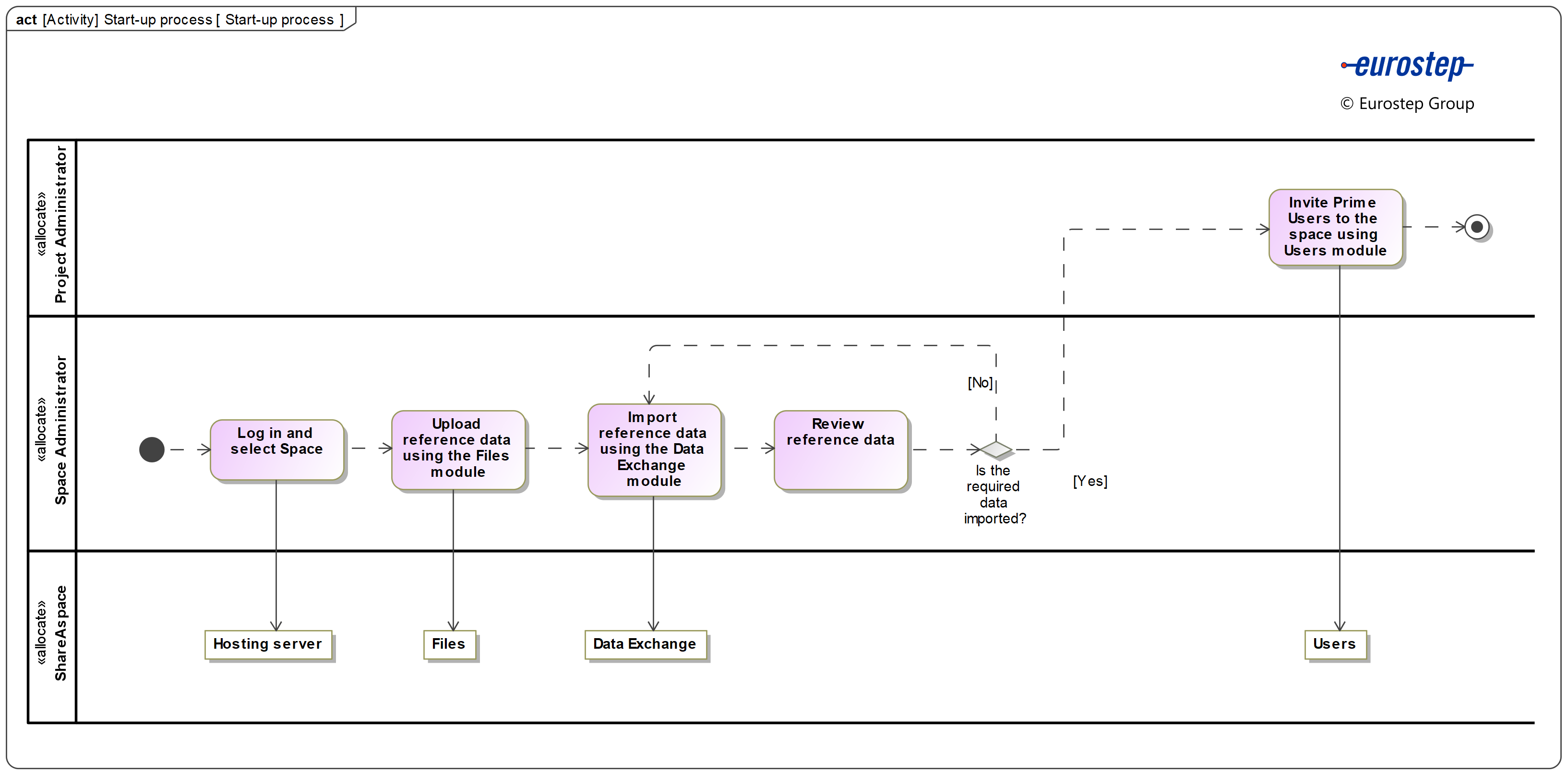
The process comprises the following activities:
- Setting up the space
- Loading reference data
- Invite prime users to the space
A number of user roles have been defined for ShareAspace D2M. These are referred to throughout the documentation and described in section User roles. For details on roles see: ShareAspace role.
Setting up the space
The basics for a ShareAspace D2M user are covered in getting started. Refer to it for basic knowledge necessary before setting up the space.
The following section explains the activities perform by the roles shown in the activity diagram on top to set up the space.
Loading reference data
Reference data is the kind of data that is defined as a set of permissible values in a given data use case or field. Units, property names or languages, type of identifier are such reference data.
The loading reference data process is described in this section, i.e. the information that is defined once for use throughout ShareAspace by all partners. For example, organizations, properties, units, types.
Once that ShareAspace D2M has been installed, a D2M space will be created. Log in ShareAspace as the Space Administrator and access the space.
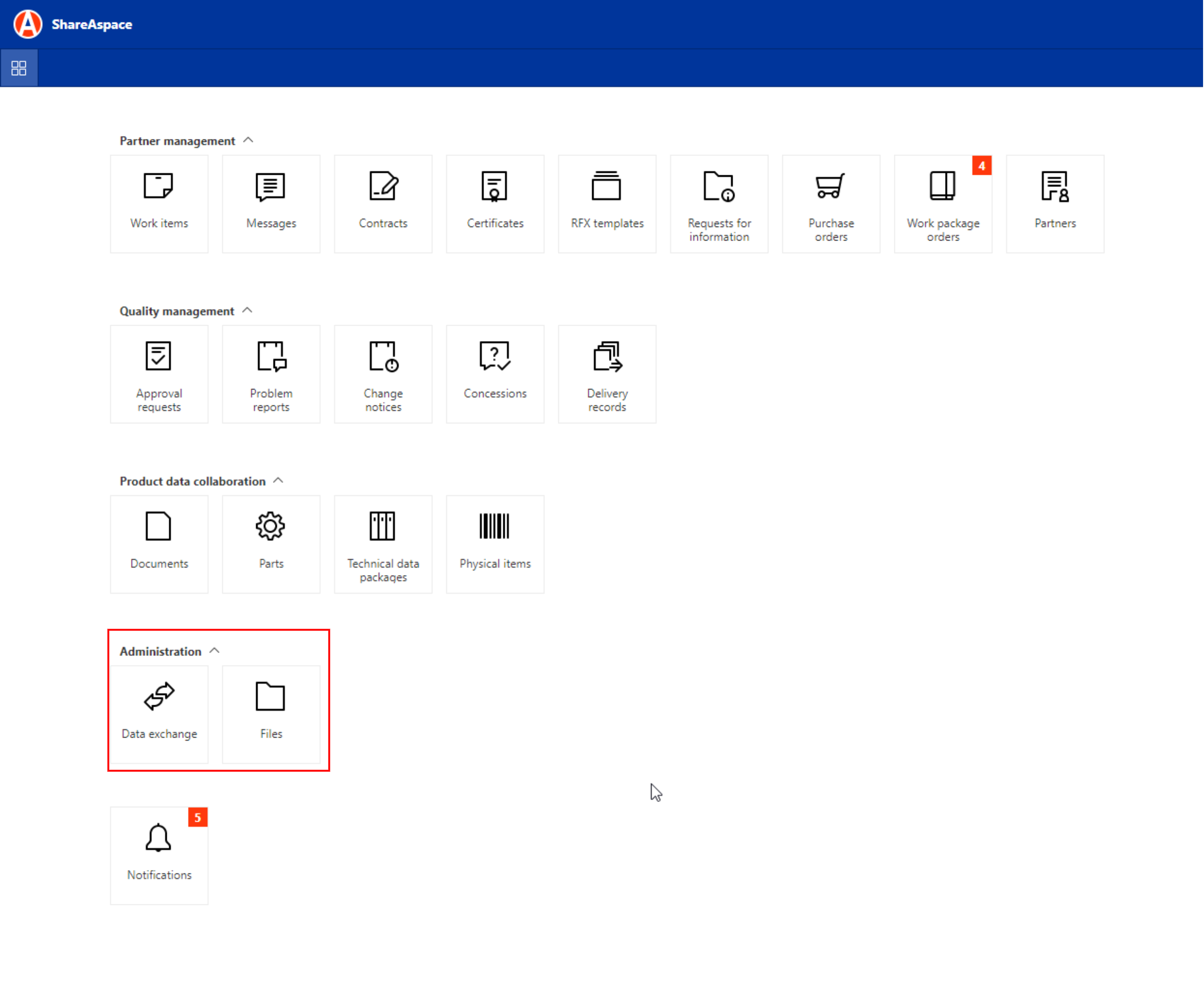
As shown in the previous section, a number of modules are available in the home page. In order to load the reference data, the "Files" and "Data exchange" modules will be used. The following figure shows the two modules:
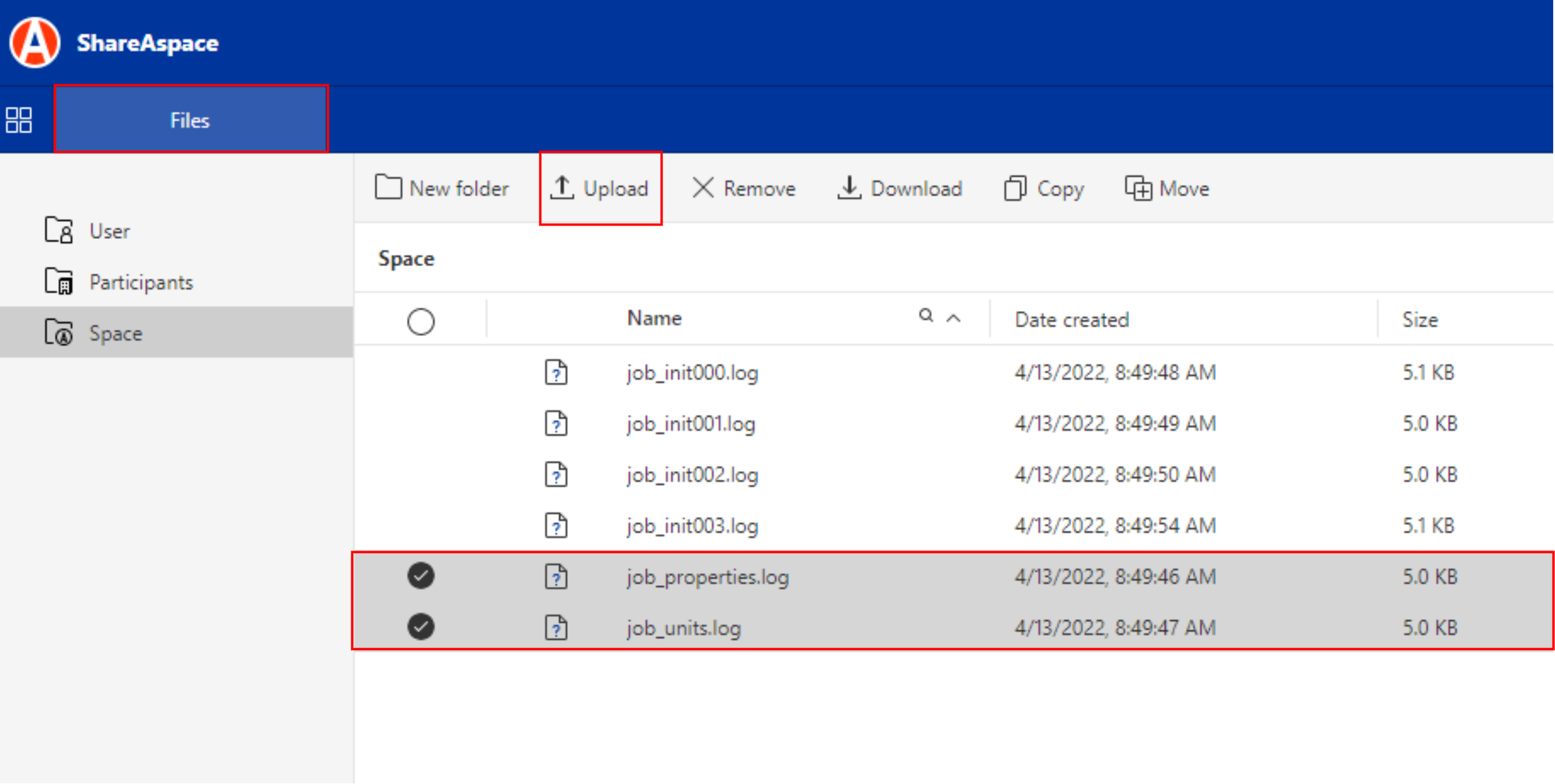
First, access the "Files" module to upload the required files, e.g. properties, units. As shown in the following figure, two files containing the properties and unit data are uploaded using the "Upload" feature in the "Files" module.
Once the files containing the reference data are uploaded, return to the home page and access the "Data exchange" module. Next, schedule the import job for the previously uploaded files by clicking on "Schedule" and selecting the import job. The process is shown below:
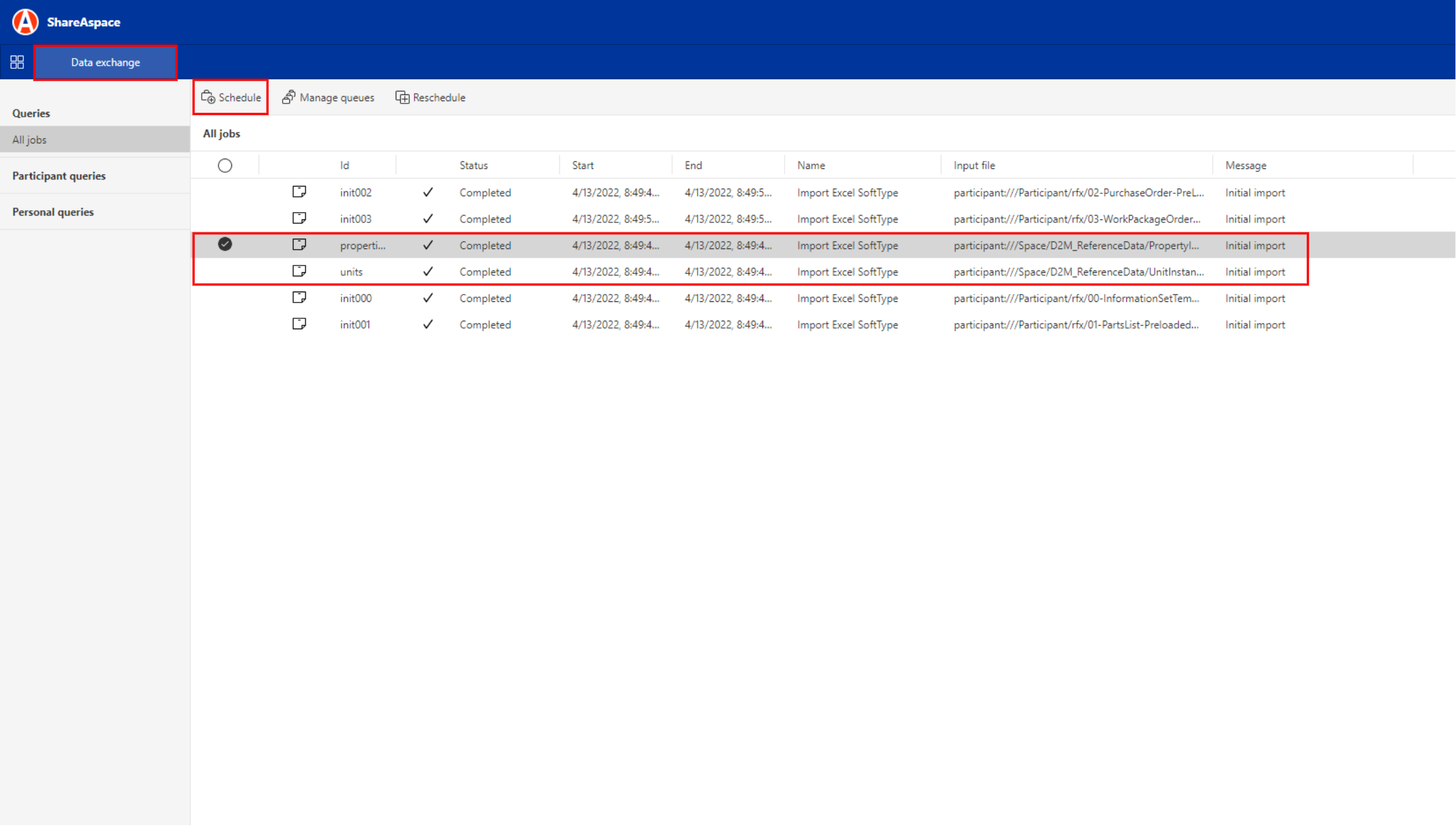
The information about the import job is shown in the right panel after it is completed. The process is shown in the following video:
Invite prime users to the space
Once the reference data is loaded into the space, log in as the Project administrator to invite the required prime users to the space. The role of Project administrator is required for this task. Once you sign in with this role, access the "Users" module and invite the users as shown in the video below: