Last updated: 5/15/2025
Prime: Identify supplier
Overview
This section describes how to select the supplier organization that the work package order is to be shared with and how to identify the prime and supplier users that are responsible for the work package order.
Supplier selection
First login as the primes collaboration manager. Then:
- Select the work package order that is to have the supplier set,
- then select "Edit responsibilities" as shown in the diagram below
- Select the user prime (acquirer) responsible for the work package order
- Search for and select the supplier organization with whom the work package order will be shared
- Once the supplier is selected search for and select the user in the supplier's organizations
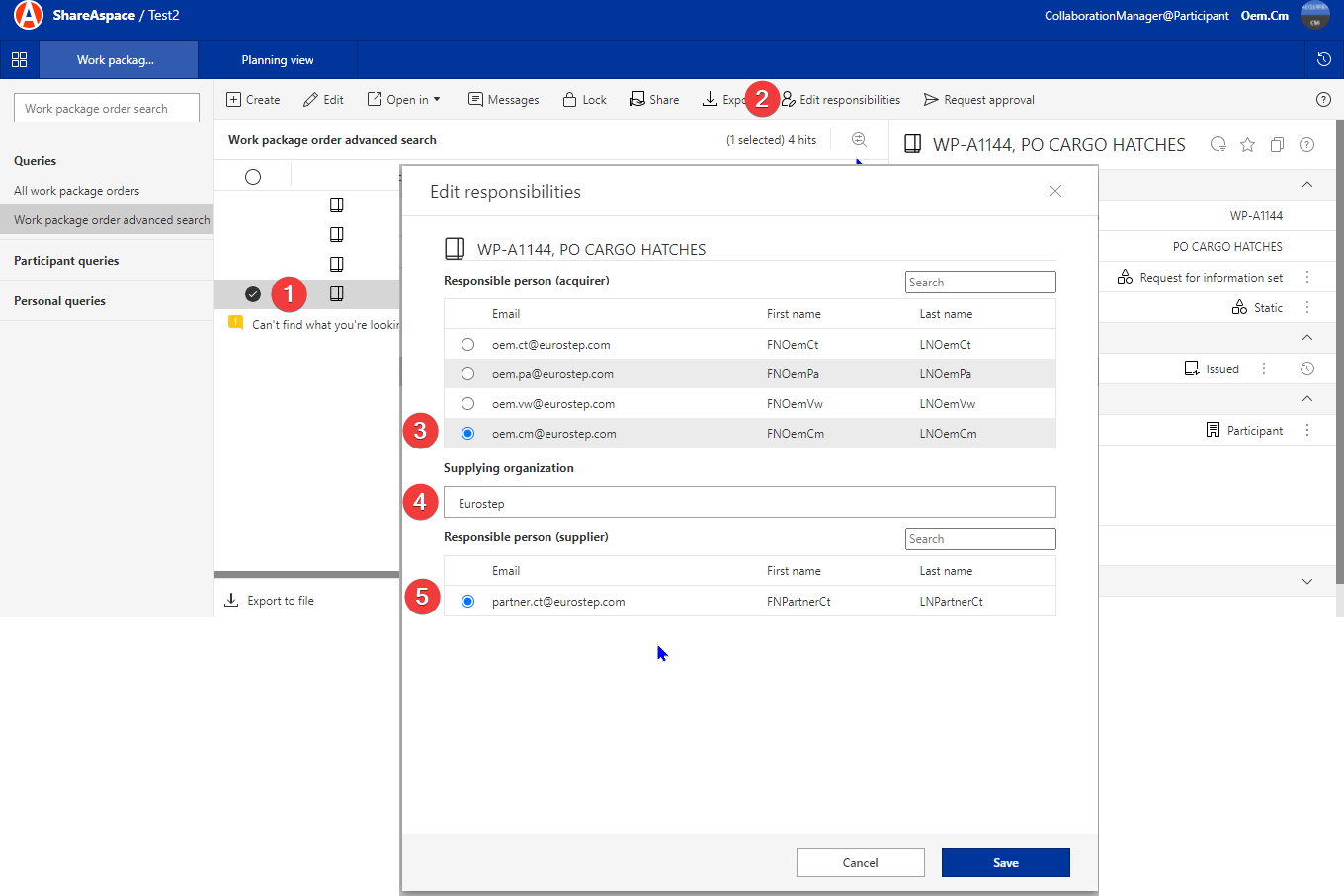
The following video demonstrates selecting a supplier for a work package order.