Prime: Apply template
Overview
An RFI template specifies a structuring of information that could be requested from a supplier for a particular business application. It defines how the requested information should be structured hierarchically into sections used to group similar information, e.g. Basic engineering data, technical manuals, certificates. For more information, refer to RFx template section.
This section describes the operation of selecting an RFI template and applying it to a work package order to create a folder structure for document deliveries.
The requested information is associated with the parts which the supplier is delivering. Therefore, a Purchase order listing those items must be associated. A Work package order is used to referred to the Purchase order and the items listed there. The RFI template is then applied to the Work package order to instantiate it into information sets and information set sections for each of the attached parts.
Depending on the supplier and part, some of the defined information sets might not be required. Thus the required information sets are selected in the process of applying the template to a Work package order.
The RFI template structure can be created and modified in the platform or in an Excel file where an identifier, version, name and description is assigned to it. The information set structure is defined in the file along with the sections organized hierarchically. Similarly, Identifiers, version, name and description are assigned for each of the information sets. The expected type of information and information set are also defined for each of them, e.g. Document and RFI respectively.
This capability allows users to request and receive structured information from other users in an auditable manner.
A typical usage is when a system integrator procures parts from a supplier and requires the supplier to provide information associated with the part, such as safety certificates, performance specifications, installation drawings.
Apply template actions
Apply template to work package order, is an action performed by the prime user. To enter the Apply template module the Prime user needs to select a Work package order with a Purchase order added as a package item to the Work package order.
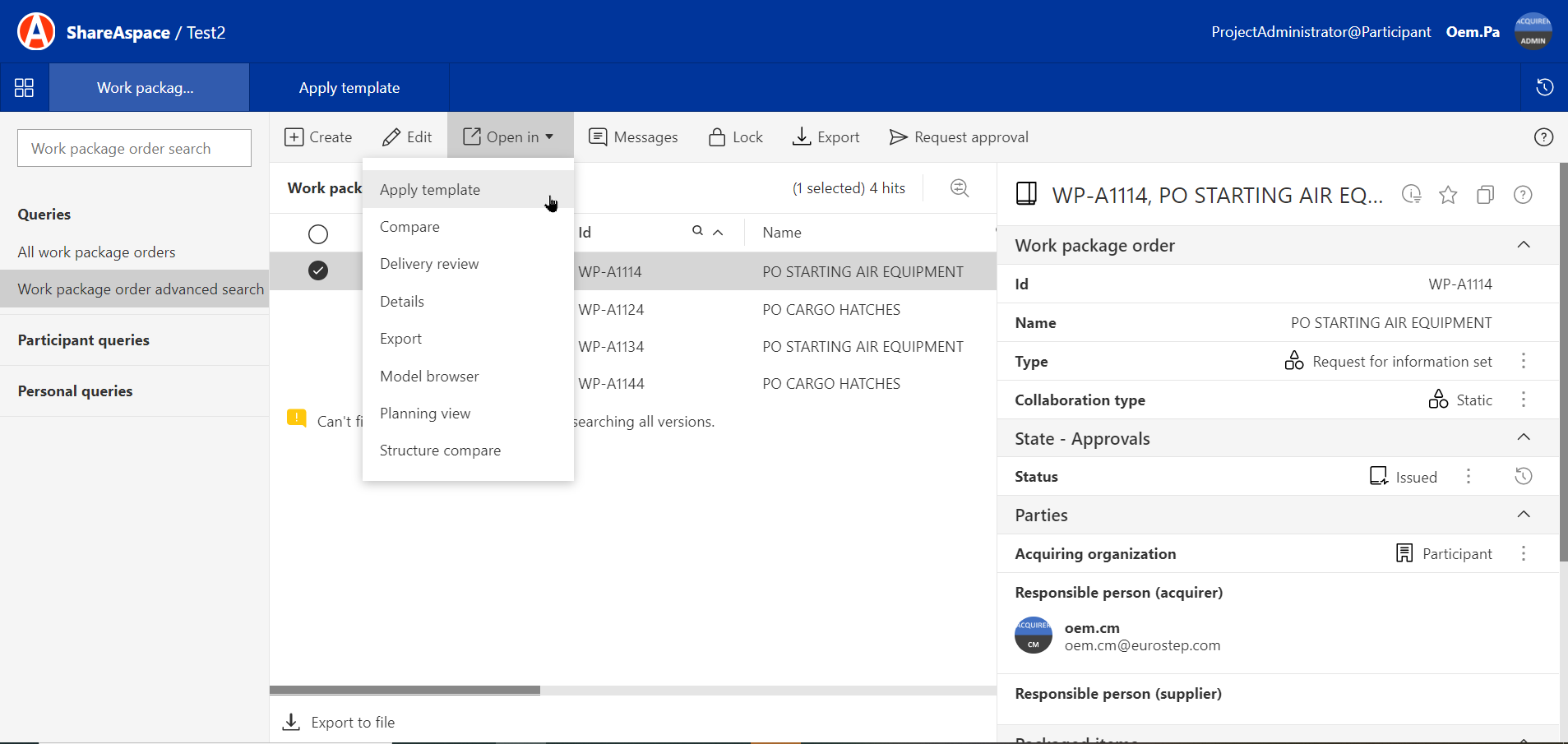
The Prime user Selects a work package order in the list and then selects Open in Apply template
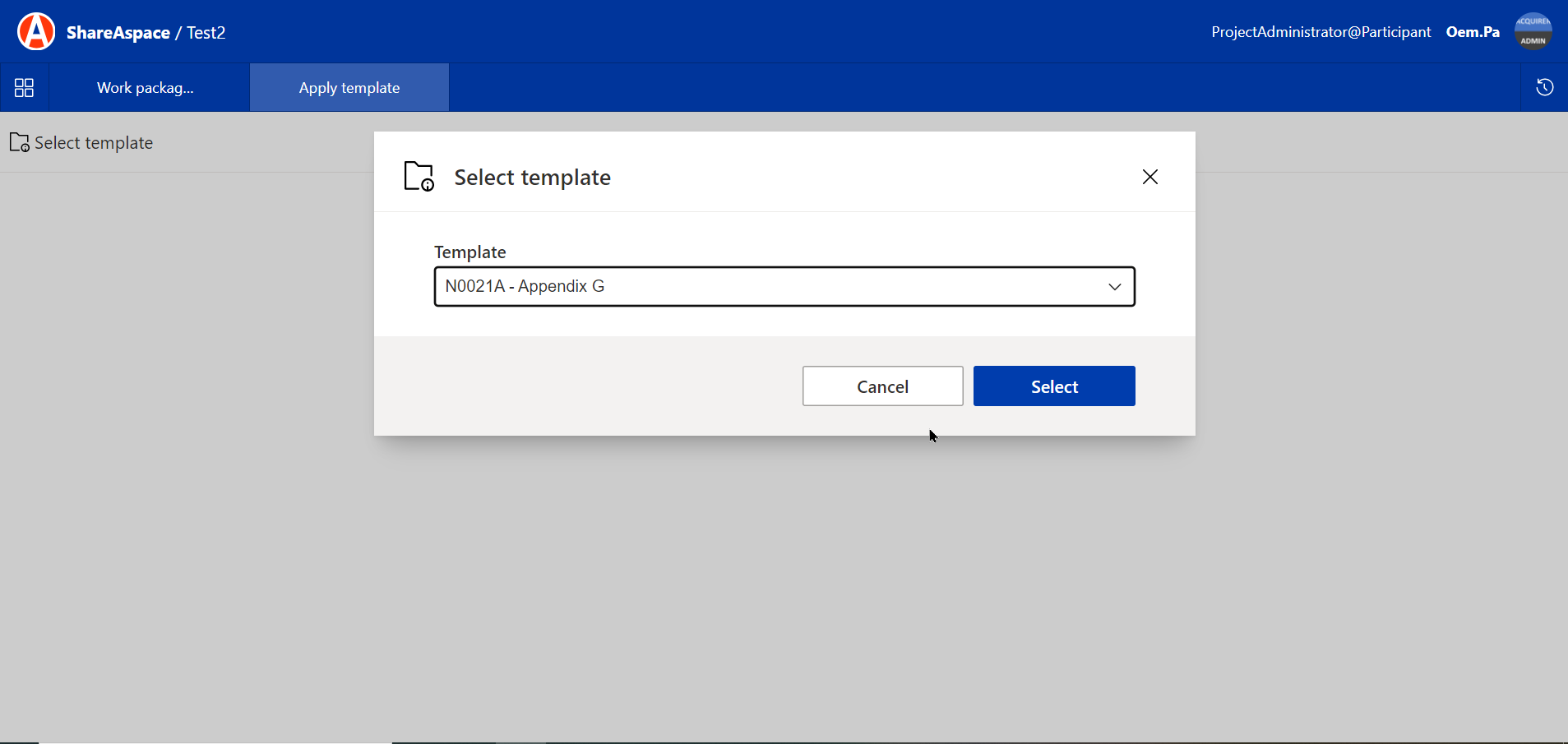
The prime user needs to choose which template to use by selecting a template from the dropdown list and then click on Select.
It can be many different templates in the list.
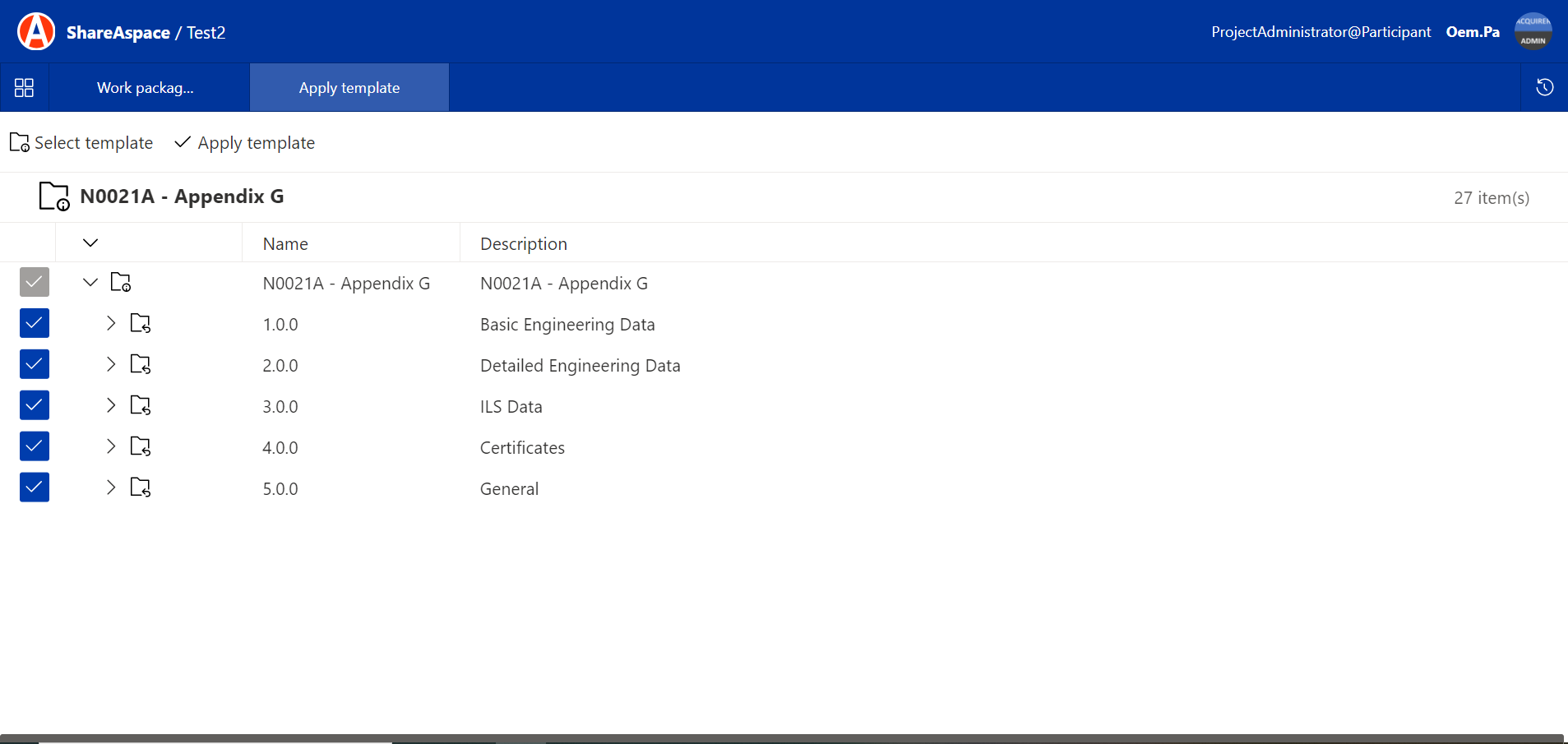
The Prime user can modify the template by removing some categories or adding new ones.
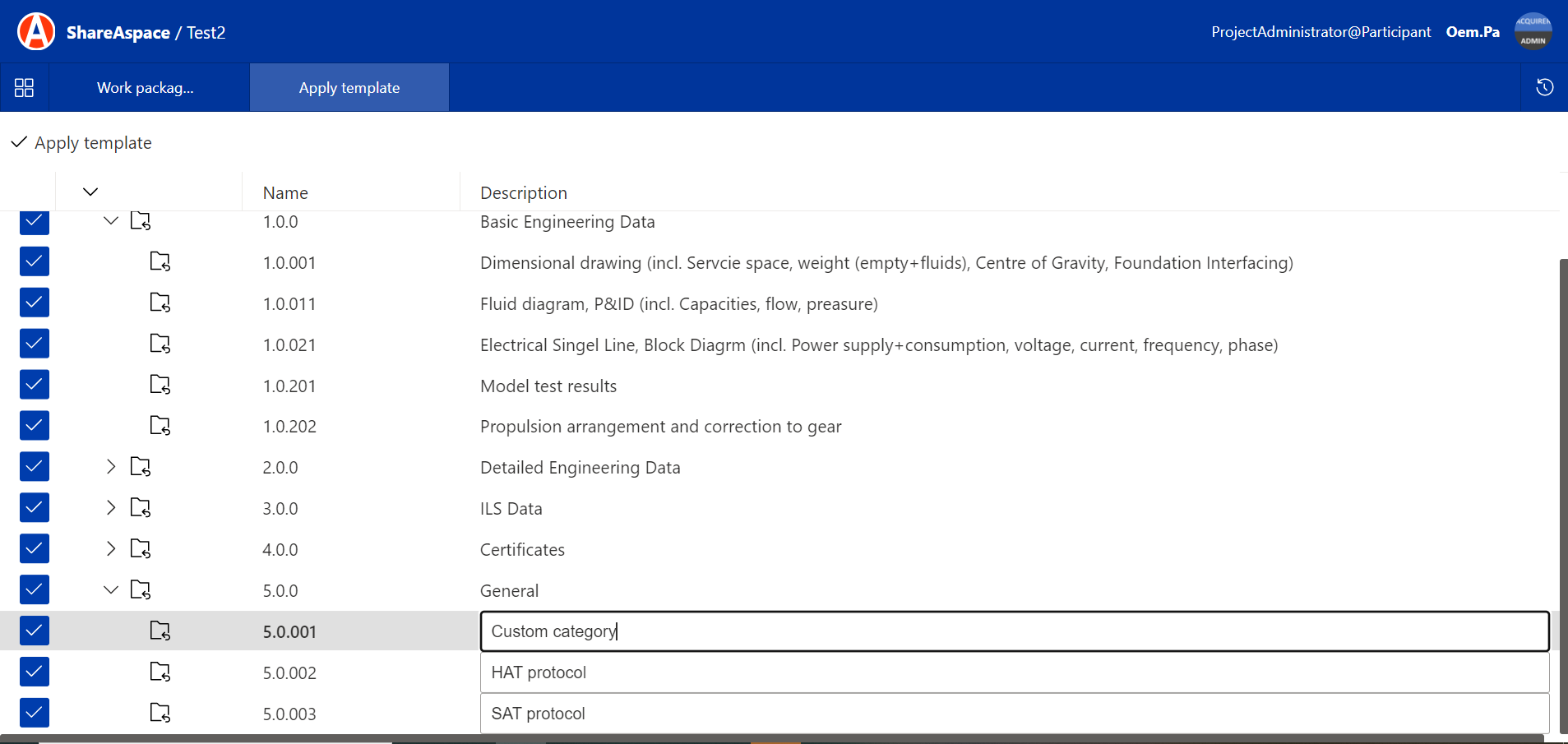
To create new categories directly in the UI the Prime users can enter text in the text field under the General category When the template has been modified the user needs to select Apply template again.
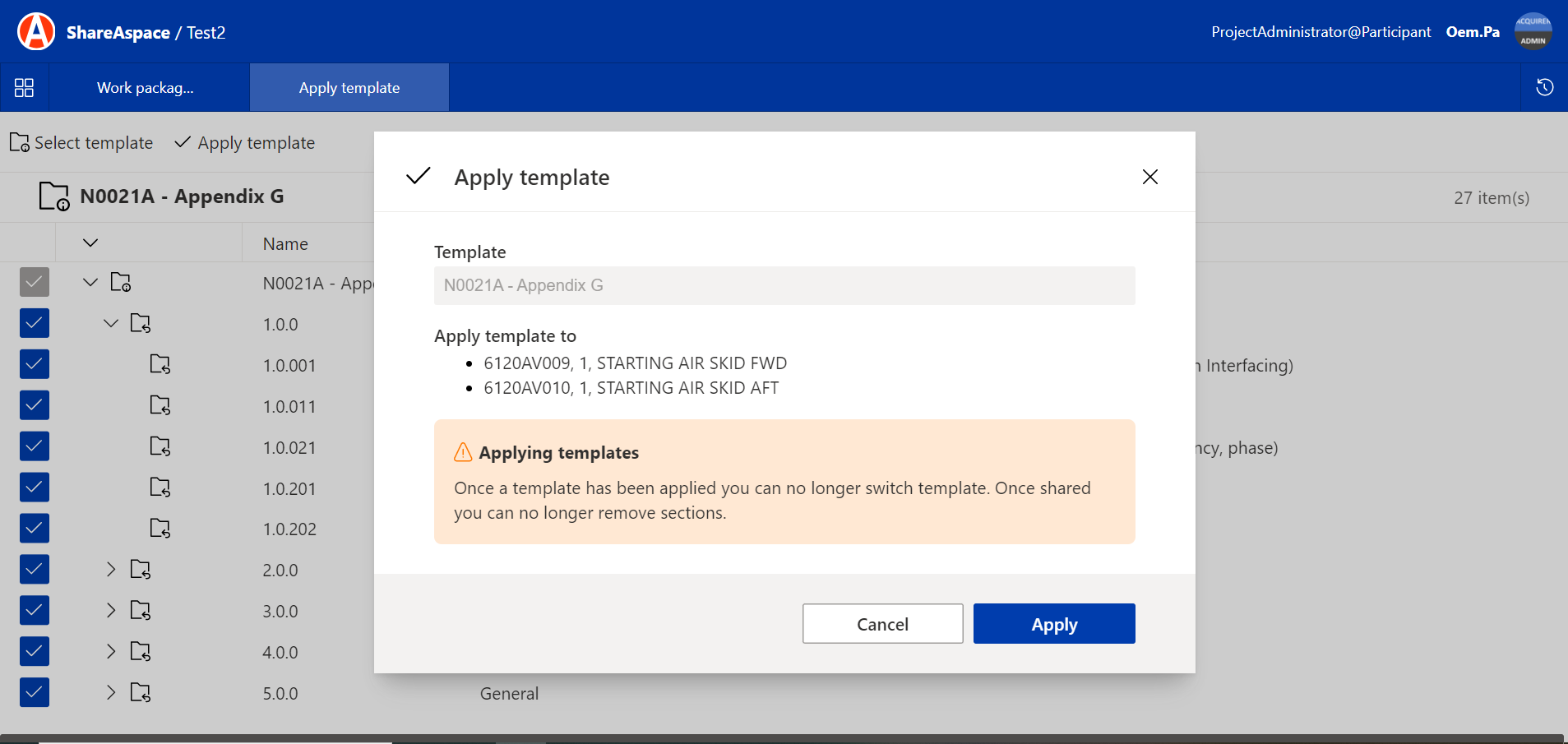
Once a template has been applied you can no longer switch template. Once shared you can no longer remove sections.
The following video demonstrates applying a RFI template a work package order.