Partner management
ShareAspace D2M Supplier management processes
Overview
This section describes the principle activities involved in managing the suppliers in D2M. These are summarized in the process diagram below:
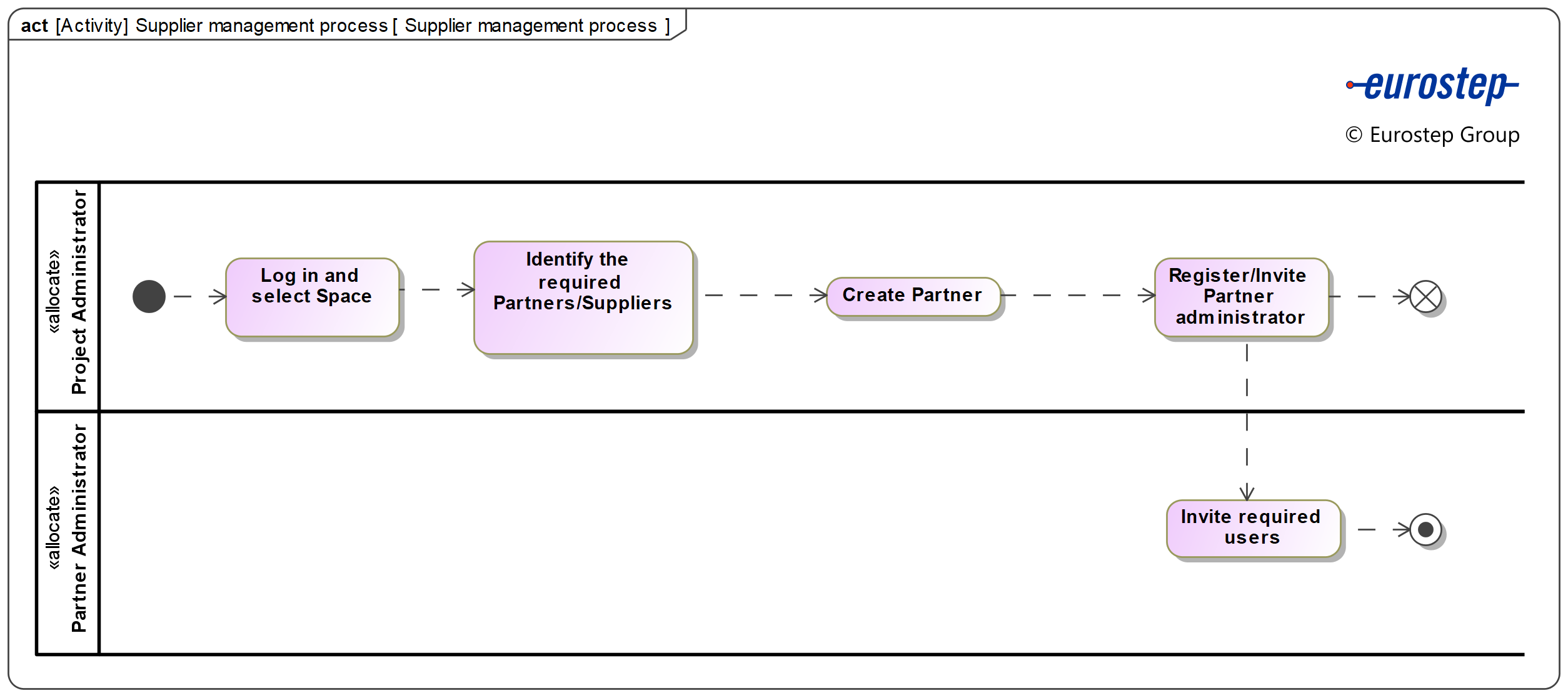
Summary of features
The following features are supported by this capability:
- Register a partner in the space
- Register partner's administrator and partner's users
Register a partner in the space
The registration of a new partner is described in this section.
In order to start this process, log in as the Project administrator and select the space where a new partner will be registered.
The following video shows the process to register a new partner:
Register partner's administrator and partner's users
As a partner, the acquirer will invite you to join a collaboration space for each project or product you are working on together. To be part of the space you need to join it. You will receive an invite in your e-mail.
The partner's administrator is registered along with the partner, as shown in the previous video.
It is the responsibility of the user with this role to invite the required partner's users to the space. The process of inviting partner's users is shown in the video below:
Partner portal
The Partner portal serves the purpose of having quick access to the pool of suppliers of a Prime. Depending on the project or application, more suppliers can be added to the Partner portal following the previously shown processes.
Depending on the project or application, more suppliers can be added to the Partner portal following the previously shown processes.
While adding a new supplier, the project administrator have the following mandatory fields to complete:
- Organization name
- Domain
- Partner administrator email
These fields are denotated by a red star as shown in the figure below:
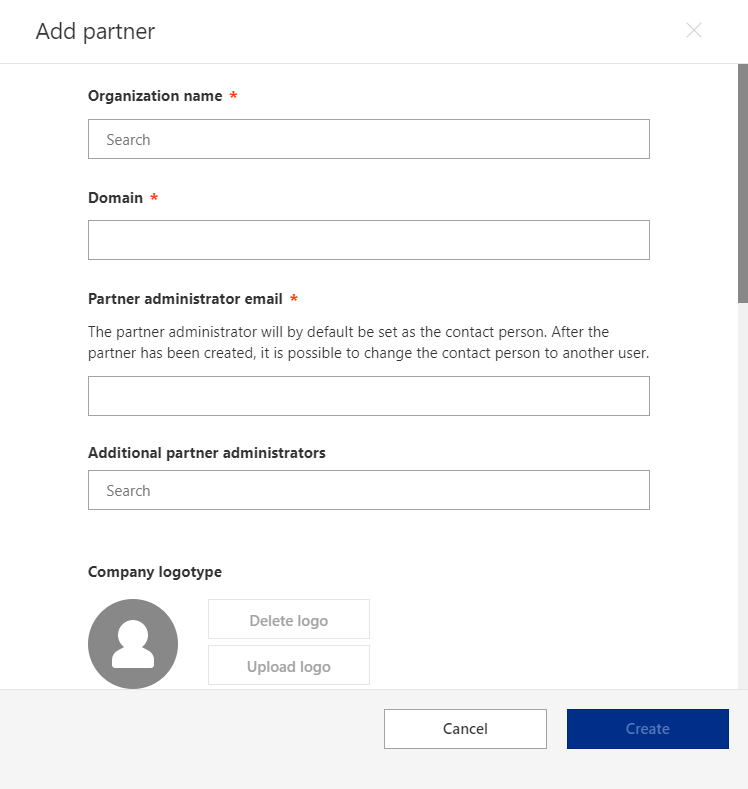
If the desired organization appears in the drop down list while typing its name and selecting it, the "Domain" field will be automatically filled and the "Company logotype" uploaded.
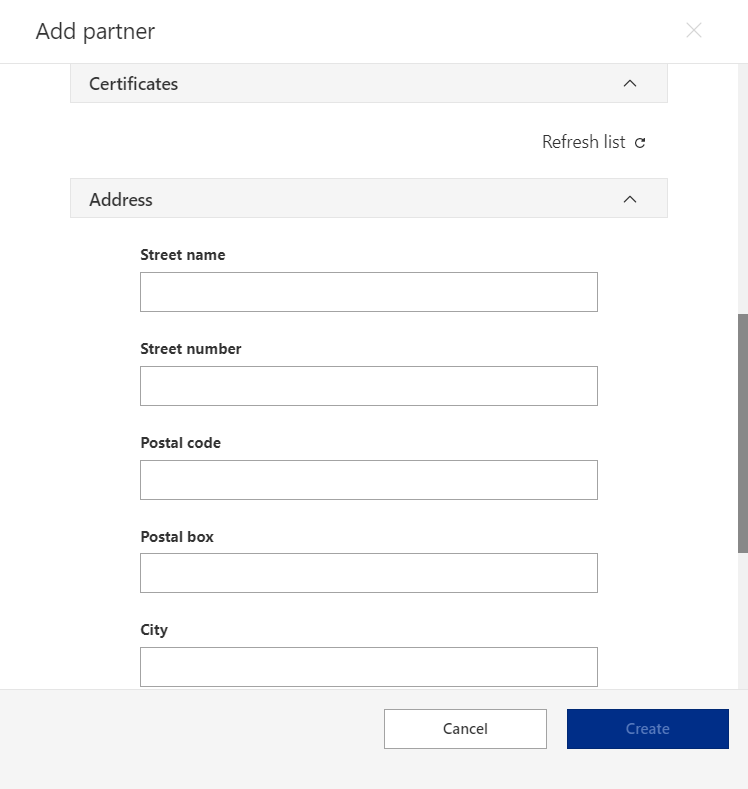
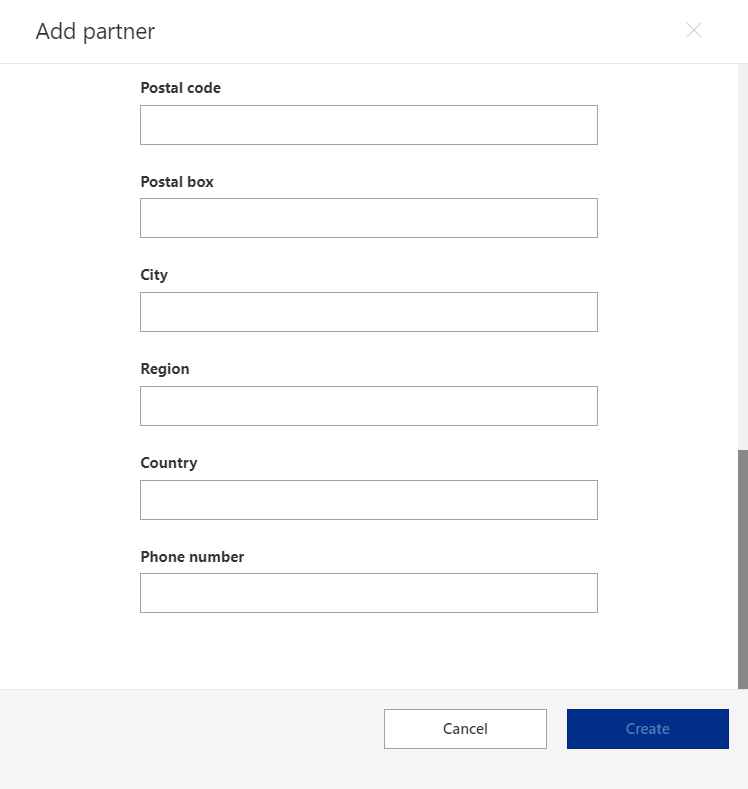
Optionally, the Prime can add the following fields while registering a supplier:
- Additional partner administrators
- Certificates
- Address
- Street name
- Street number
- Postal code
- Postal box
- City
- Region
- Country
- Phone number
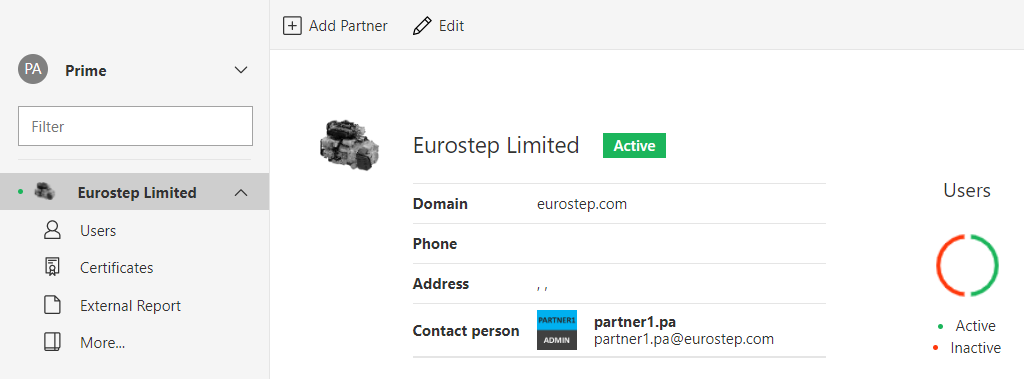
Once a supplier is registered in the Partner portal, an overview can be visualized when the supplier is selected in the left panel, as shown in the following figure:
Additionally, an structure view of the supplier containing the contracts, Purchase orders and Work package orders assigned to it can be visualized by selecting the "More..." option in the previously mentioned left panel. The following figure shows this view: